Hunting note
Start with the decision, then inspect the details.
A practical guide for homeowners and renters researching furniture purchases online on best media console for large tv, covering the best next steps, tradeoffs, and when to call a pro.
A large television needs more than a long piece of furniture beneath it. The best media console for a large TV should be wide enough to make the screen look visually balanced, strong enough to support every component placed on it, and designed so heat and cables do not become ongoing problems.
As a practical starting point, choose a console that extends at least several inches beyond both sides of the TV. Then check the manufacturer’s total and per-shelf weight limits, usable interior dimensions, ventilation, and anchoring instructions. A wide cabinet is not automatically a strong cabinet, and the listed width rarely tells you whether an AV receiver, game console, or soundbar will actually fit.
Measure the TV, Wall, and Viewing Position First
Do not shop from the TV’s advertised diagonal size alone. A “75-inch TV” is measured diagonally; its real width, stand-foot spacing, and depth vary by model. Measure the television from edge to edge, note the distance between its feet, and record the depth of the feet. If the TV will stand on the furniture, the console top must fully support both feet with room to spare. A center pedestal may need less width, but its concentrated load still has to fall on a properly supported part of the top.
Measure the available wall width, baseboards, outlets, vents, door swings, and walking paths. Mark the proposed console outline with painter’s tape before ordering. This quickly reveals whether an 80- or 90-inch cabinet will crowd a doorway or leave too little circulation space. Also check the intended screen height from the main seat. A tall console under a large TV can force an uncomfortable upward viewing angle, especially when the television is mounted with space above the cabinet.
Finally, record the dimensions of everything going inside or on top: receiver, streaming box, router, game systems, center speaker, turntable, and power strip. Include cable plugs and ventilation clearance rather than using the bare chassis size. Rear-facing HDMI and power connectors can add several inches of practical depth.
Get the Width and Height Proportions Right
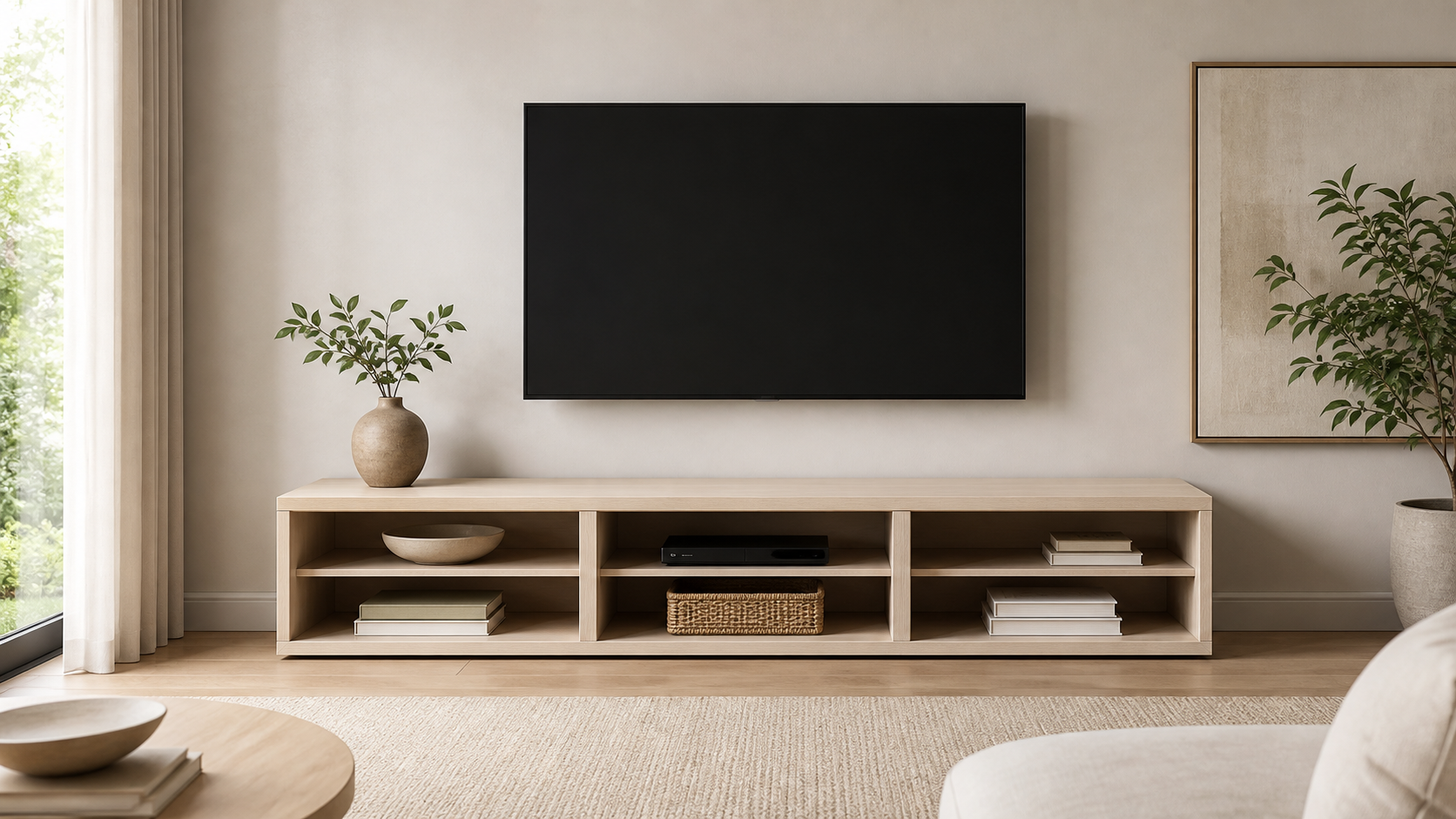
A console generally looks intentional when it is wider than the television rather than exactly the same width. An extra 6 to 12 inches on each side is a useful visual range in many rooms, but it is not a rigid rule. A 65-inch TV may pair well with a console around 70 to 84 inches wide, while a 75- or 85-inch screen often benefits from an 80- to 100-inch console. Let the wall and circulation space set the upper limit.
Height matters just as much. Low consoles often work best with oversized screens because they prevent the composition from feeling top-heavy. If the TV uses its own stand, add the console height, stand height, and the location of the screen’s center before deciding. If the TV is wall-mounted, sit in the main viewing position and test the proposed screen center with tape. A reclining sofa and a dining-height viewing position create different requirements, so generic mounting-height diagrams are only a starting point.
Choose the Console Type That Matches the Room
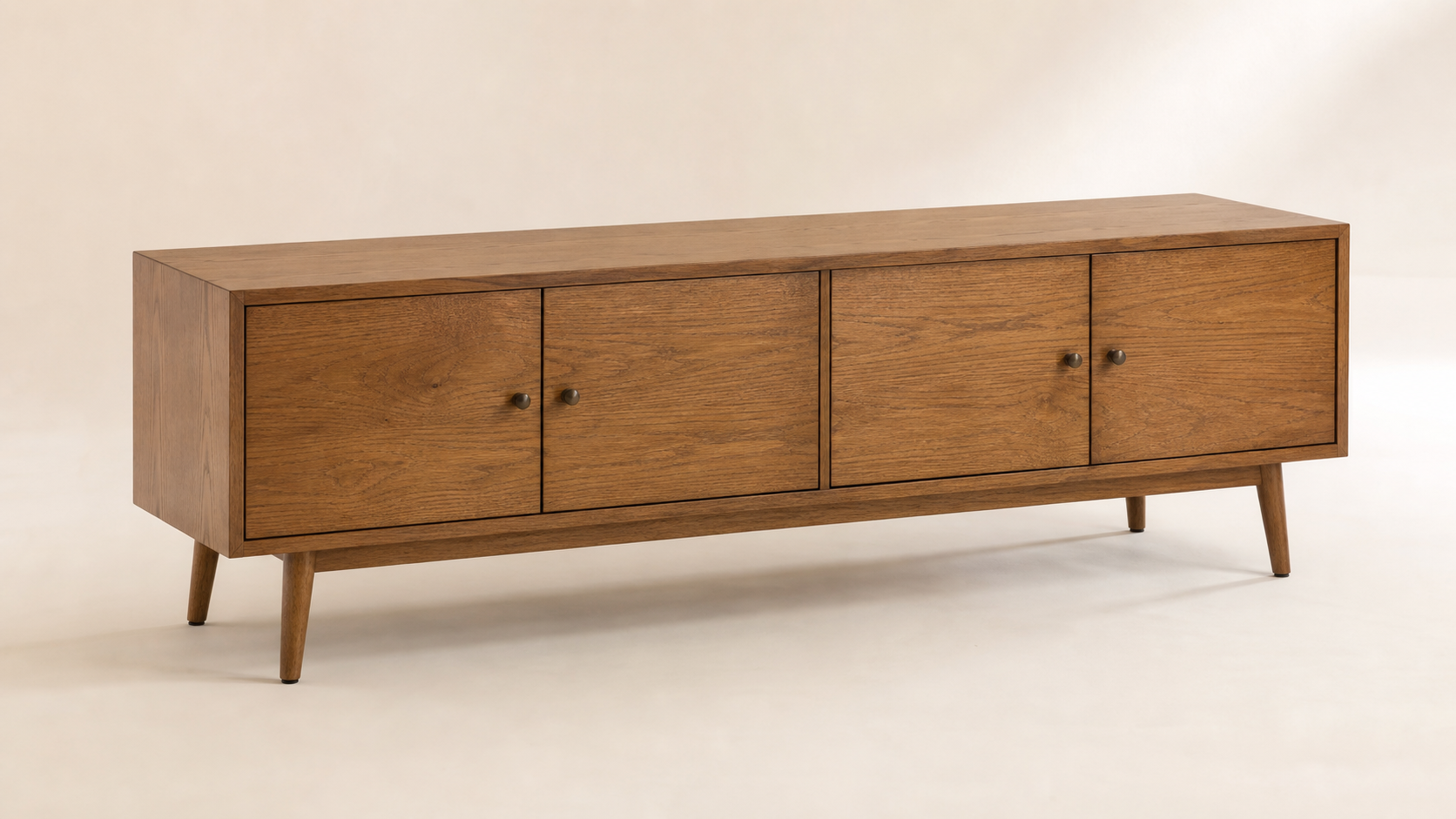
A freestanding closed cabinet is the most versatile choice for many households. Doors hide cables, controllers, and media, while a broad base distributes visual weight beneath the screen. Look for adjustable shelves, removable back panels, and doors that do not block infrared remotes. Slatted, perforated, or fabric-front doors can allow signals and air to pass, but product photos should not replace confirmation in the specifications.
An open-shelf console is better for equipment that runs hot or needs frequent access. It is usually easier to wire and can make a small room feel less bulky. The tradeoff is visible dust, indicator lights, and cable clutter. Hybrid consoles—closed storage at the sides with an open center bay—often provide the best compromise for a receiver and game system.
A floating console creates clear floor area and can make a narrow room easier to clean. It should only be mounted to a wall structure and with hardware appropriate for the wall type and the unit’s loaded weight. Drywall anchors alone may not be adequate for a long, heavily loaded cabinet. Renters should obtain permission before drilling and should not assume adhesive mounting is a safe substitute. Modular units can solve unusual wall lengths, but adjacent modules need aligned tops, secure connections, and compatible load ratings.
Compare Materials, Construction, and Real Load Capacity
Solid wood and quality plywood can offer durable joinery and repairable surfaces, but construction quality matters more than the material label alone. Engineered wood can perform well when the panels are adequately thick, the fasteners are correctly placed, and long spans have center support. A wide top with no center divider or reinforcement is more likely to sag under a television and accessories, regardless of how convincing the finish looks online.
Read the weight specifications carefully. “Maximum load” may refer to the whole unit, while each shelf has a lower rating. Add the TV, soundbar, speakers, decor, and all interior electronics, then leave a reasonable margin rather than loading to the exact limit. This same principle applies to shelving and desks elsewhere in the room: never infer capacity from thickness or appearance, and do not transfer a shelf rating to the top panel unless the manufacturer says so.
Plan Ventilation, Cable Management, and Device Access
Electronics need room to release heat. A closed compartment with a small cable hole is not automatically ventilated. Check for open backs, generous vents, slatted doors, or a clear airflow path from low to high. Follow each device maker’s clearance guidance, especially for AV receivers and game consoles. If a cabinet becomes noticeably hot, components shut down, or a fan runs constantly, stop using that arrangement until airflow is improved.
Cable management should be accessible rather than merely invisible. Useful features include removable rear panels, large grommets, a recessed channel behind the cabinet, and enough clearance for a surge protector. Keep power cables organized without tightly coiling them, pinching them behind furniture, or running them where heat collects. Do not route ordinary extension cords inside walls or under rugs. If an outlet is badly positioned, a licensed electrician can add a properly located receptacle.
Treat Stability, Anchoring, and Household Safety as Buying Criteria
A large screen raises the stakes of unstable furniture. If the TV sits on the console, use the television manufacturer’s anti-tip method when provided and position the feet fully on the top. Anchor the console to the wall using the supplied restraint and hardware suitable for the wall structure. Anchoring is especially important around children, in earthquake-prone areas, or when doors and drawers can be opened and climbed. Dressers and bookshelves in the same room also need appropriate anti-tip restraints; a media console anchor does not address nearby furniture.
Do not place heavy equipment on a shelf that lacks a published capacity. Keep heavier items low, avoid stacking components in unstable towers, and never let cables become handles or trip loops. Sharp corners at child height may warrant securely fitted corner guards, but guards do not replace supervision, stable furniture, or anchoring. Store button batteries, remotes with loose battery covers, and small accessories out of reach.
New furniture may release odors or volatile organic compounds, particularly when unpacked. Assemble and air it in a well-ventilated space, follow manufacturer guidance, and pause use if odors cause irritation. Look for relevant low-emission information when this is a concern. Fire-retardancy labels are more directly relevant to upholstered furniture than hard media cabinets, but nearby sofas and upholstered seating should retain required compliance labels and stay clear of hot electronics, heaters, and overloaded power equipment.
Use This Quick Shopping Checklist
Before comparing finishes, reduce the market to consoles that pass the non-negotiable measurements and safety checks. Product listings sometimes combine dimensions from several variants, so confirm the exact SKU in the specification sheet or assembly manual. If a seller cannot provide a load rating for a console intended to hold a TV, treat that omission as a reason to keep shopping rather than an invitation to guess.
Use the checklist below for each finalist. Save screenshots or PDFs of the specifications in case the listing changes, and compare total delivered cost rather than the headline price. Freight delivery, room-of-choice service, assembly, wall anchoring, cable accessories, and return shipping can materially change the value of a large cabinet.
| Check | What to confirm before ordering | Warning sign |
|---|---|---|
| Overall width | Console is wider than the TV and fits the wall | Same width as screen or blocks circulation |
| Top dimensions | TV feet or pedestal fit fully | Feet sit near or beyond an edge |
| Load rating | Top and shelves have published capacities | “Strong” construction with no numbers |
| Interior space | Devices fit with plugs and airflow clearance | Dimensions list only the exterior |
| Ventilation | Open back, vents, or designed airflow path | Sealed compartment for hot equipment |
| Stability | Center support and anti-tip provision | Long unsupported top or no restraint |
| Cable access | Large, reachable openings and rear clearance | Tiny holes or fixed inaccessible back |
| Delivery | Package fits stairs, doors, and elevators | Oversized carton with curbside-only terms |
| Returns | Damage and return process is clear | Buyer pays costly freight for defects |
A checklist also helps distinguish a genuine upgrade from a cosmetic one. A more expensive console may justify its price through stronger joinery, replaceable parts, better hardware, and clear load documentation. A low-cost unit can still be appropriate if it fits the equipment and is safely assembled, but price should never be used as a substitute for specifications.
Avoid the Most Common Large-TV Console Mistakes
The first mistake is buying by screen diagonal and discovering that the television’s feet do not fit. The second is selecting a console from a staged image without checking height and depth. Wide-angle product photography can make a cabinet appear longer and deeper than it is. Always compare written dimensions with your tape outline and the TV manufacturer’s drawings.
Budget traps include overlooking delivery access, assembly difficulty, return freight, and anchoring costs. Do not improvise missing structural parts, omit center legs to clear a floor vent, or mount a floating console with whatever anchors happen to be available. Also avoid placing the console over a heat register, using it to conceal overloaded power strips, or assuming a wall-mounted TV eliminates the need to stabilize the furniture below.
Know When Installation Is a Professional Job
Many flat-pack freestanding consoles can be assembled safely by two adults who follow the instructions, work on a protected level surface, and verify every fastener. Stop if panels are cracked, holes are misaligned, hardware is missing, or the finished unit rocks after adjustment. Do not drill new structural holes or substitute random fasteners without guidance from the manufacturer; doing so can weaken the unit and complicate a return.
Professional help is sensible for very long or heavy cabinets, floating units, masonry walls, steel-stud walls, uncertain wall construction, or installations that combine a TV mount with concealed power. A qualified installer should identify suitable attachment points and account for the loaded weight. Electrical work—including moving an outlet or adding in-wall power—belongs with a licensed electrician. Low-voltage cable concealment still needs to comply with local rules and use in-wall-rated materials.
Frequently Asked Questions
How much wider should a media console be than a large TV?
A useful starting point is 6 to 12 inches of extra width on each side, but room constraints and the TV’s stand design matter more than a strict formula. The console must fully support the feet or pedestal, fit the wall, and leave clear walking paths. A smaller difference can work in a tight room if the setup remains stable and visually deliberate.
Can a 75-inch TV sit on a 70-inch console?
Possibly, because a 75-inch screen is not 75 inches wide. However, you must compare the television’s actual width and foot spacing with the console’s usable top dimensions. If either foot approaches an edge, the top is too shallow, or the weight exceeds the rating, choose a larger unit or wall-mount the TV correctly.
Is a floating console safe for a large TV setup?
It can be safe when the console is rated for the load and attached to suitable wall structure with specified hardware. The cabinet, components, and any items placed on top count toward the load. If studs or masonry cannot be confidently identified, use a qualified installer rather than relying on generic drywall anchors.
Are closed cabinets bad for game consoles and receivers?
Not necessarily, but they need a real airflow path and enough clearance around each device. Vented backs, slatted fronts, and open compartments are preferable to a nearly sealed box. Follow equipment instructions and investigate excess heat, shutdowns, or persistently loud cooling fans instead of continuing to operate the devices in a hot cabinet.
Should the TV be wall-mounted or placed on the console?
Both can work. A stand-mounted TV simplifies wall work but demands adequate top area, load capacity, and anti-tip protection. Wall mounting frees the console surface and can improve placement, but the mount must suit the TV, wall, and viewing height. It does not remove the need to anchor a climbable or drawer-equipped console below.
Final Buying Recommendation
For the broadest range of households, the best media console for a large TV is a low, freestanding cabinet that is visibly wider than the screen, includes center support, publishes separate top and shelf load limits, and provides ventilated component storage. Adjustable shelves, removable rear access, and an included anti-tip restraint are more valuable than decorative features that make wiring or cooling harder.
Choose the exact model only after taping its dimensions on the wall and checking the TV feet, every component, outlet position, delivery route, and return policy. Renters may favor a stable freestanding console with landlord-approved anchoring, while homeowners planning concealed wiring may benefit from coordinated professional installation. In either case, a measured, well-documented choice is safer and more useful than selecting the longest cabinet within budget.